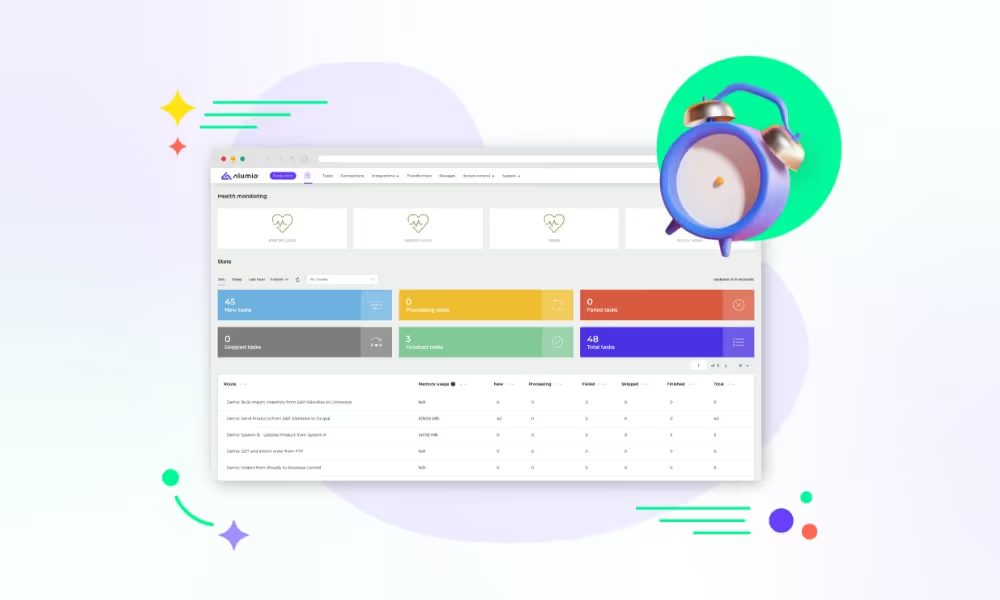
Introducing the Alumio Route Builder
Now connect, orchestrate, and govern integrations at scale from one visual interface

Till sessions closed in Odoo POS post into ERPNext as accounted takings and stock movements, so a shop's trading day reconciles without anybody sitting down afterwards to transcribe a register report.



























An Odoo POS session runs all day and closes as a batch, which suits a shop and frustrates an accountant, because ERPNext wants documents and the till produces a summary. Left unconnected, somebody reads the session report each evening and keys totals into ERPNext, and the errors that creep in are found weeks later during a stock count nobody enjoys. The ERPNext to Odoo POS integration posts on session close instead. Takings, payment methods and stock movements arrive as ERPNext entries, so the evening job disappears and the two sets of numbers agree because nobody had to type them.
DATA THAT FLOWS BETWEEN THEM
Till sessions
Sales lines
Refund lines
Payment methods
Stock movements
Item prices


Nobody transcribes a session report into ERPNext after closing time, because the session posts itself, which gives a shop manager back the end of their own working day.
Each session's lines reach ERPNext as stock movements as well as takings, so on-hand figures reflect what actually left the shelf rather than what was counted last month.
Refund lines inside an Odoo POS session are posted to ERPNext as reductions rather than as sales, so a returned item comes back into stock instead of being counted twice.
Item prices published from ERPNext reach every till, so a promotion is configured once centrally rather than in each shop by whoever happens to open up that morning.
A shop closes its Odoo POS session. Alumio posts the takings, the payment method split and the stock movements into ERPNext as entries, so the day is accounted for before the manager has even finished locking up.
A customer returns an item at the till. The refund line posts to ERPNext as a reduction in takings and a return to stock, so neither figure has to be corrected by hand at the end of the week during a stock check.
A price changed in ERPNext reaches each Odoo POS location before trading opens, so the same item costs the same in every shop and counter staff are not left explaining a price difference they had no part in creating.
Alumio sits between sales channels and fulfillment systems as a governed integration backbone. Orders are routed, transformed, and validated, while status updates return to every channel.

Authenticate your systems using Alumio's pre-built connectors. Choose from 200+ connector packages in the marketplace, plus unlimited custom integrations.

Define how data fields map between systems in a visual interface. Adjust formats, enrich records, and apply business logic, no custom code required.

Configure flows to run in real time on events, on a schedule, or both. Reduce manual data entry and let Alumio handle movement and transformation between systems.
.svg)
Once your first integration is live, adding your ERP, PIM, WMS, or CRM connects to the same hub. Existing flows keep running. No rebuilding from scratch.

A staff scheduling and timesheet tool is the usual third, because once takings post themselves the largest controllable cost in a shop is hours worked. Alumio holds those connections together and reuses the location mapping already configured, so labour and takings land against the same shop and a manager can read one against the other.
Yes, and session close is the boundary rather than a clock. A session accumulates all day, so posting mid-session would mean writing a figure that is still moving. Alumio acts when the session closes, sending takings, payment split and stock movements together as one set of entries, with the price and item flows going the other way on a schedule you set.
No, the connection is configured rather than built. Session totals, payment methods and the ERPNext accounts they post to are mapped once in a form and reused for every shop, which is what stops a fifth location being a fifth project. The Code Transformer remains available where an unusual payment type or a rounding rule needs logic configuration cannot express.
Two things, and missing either is what causes an argument later. A refund reduces the day's takings and returns the item to stock, and because it is a line inside a session rather than a separate document, it is easy to post as though it were another sale. Alumio carries that through, so ERPNext receives a reduction and a return to stock rather than a second sale.
A refund that arrives as a sale is worse than one that never arrives, because the books balance and the stock does not. Alumio connects to Odoo POS as it would any reachable system, monitors each posting live and logs the session totals it sent, so a session ERPNext refuses alerts immediately with the shop and the reason. Retries run automatically where configured, so a day's trading is never quietly lost.
Talk to an Alumio integration specialist. We'll map the right architecture for your systems, at the right scale, so your operations stay reliable through every change.
















.svg)


