Introducing the Alumio Route Builder
Now connect, orchestrate, and govern integrations at scale from one visual interface

A part number that still works is not the same as a part the business will sell you, so IFS supersession reaches Pimcore long before a catalogue quotes something the business no longer stocks.



























Service businesses replace parts constantly, and IFS records that as supersession: this one is no longer supplied, that one takes its place, and anything already installed keeps working. A catalogue has no such concept. So Pimcore carries the old entry with its specification and its photograph, a specifier downloads it, and the order arrives for something the business stopped buying two years ago. Nobody is wrong and everybody wastes a week. Connecting IFS and Pimcore carries the supersession across, so a catalogue entry says what it is now rather than what it was when somebody enriched it.
DATA THAT FLOWS BETWEEN THEM
Part numbers
Supersession links
Specifications
Equipment models
Availability status
Documents


When IFS supersedes a part, the Pimcore entry points at what replaces it, so a specifier is directed to the current item rather than ordering one the business no longer supplies.
Because the link between the old number and the new one is kept, somebody maintaining equipment installed years ago can still reach the right part through the catalogue.
A replacement inherits the content already written in Pimcore rather than starting empty, so a supersession does not quietly create a catalogue entry with nothing in it.
Technical detail is read from IFS rather than retyped, so what a Pimcore datasheet states and what the service business holds describe exactly the same component.
When IFS records that a part is superseded, Alumio updates the Pimcore entry to name what replaces it, so the catalogue directs a specifier forward instead of leaving them to order a number that will not be fulfilled.
The specification and documents already enriched against the old Pimcore product are associated with the replacement, so the new entry arrives usable rather than needing a week of work before anybody outside can read it properly.
Technical values held in IFS are published to the matching Pimcore attributes on the cycle you set, so a datasheet somebody downloads reflects the component the business supplies rather than a version from an earlier build.
Alumio sits between sales channels and fulfillment systems as a governed integration backbone. Orders are routed, transformed, and validated, while status updates return to every channel.

Authenticate your systems using Alumio's pre-built connectors. Choose from 200+ connector packages in the marketplace, plus unlimited custom integrations.

Define how data fields map between systems in a visual interface. Adjust formats, enrich records, and apply business logic, no custom code required.

Configure flows to run in real time on events, on a schedule, or both. Reduce manual data entry and let Alumio handle movement and transformation between systems.
.svg)
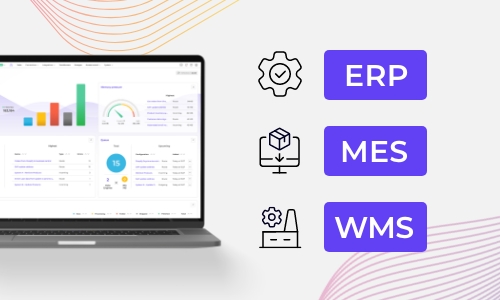
Once your first integration is live, adding your ERP, PIM, WMS, or CRM connects to the same hub. Existing flows keep running. No rebuilding from scratch.

The second connection most service businesses make is to wherever tenders are answered, because a specifier reading a Pimcore datasheet is usually assembling a submission and IFS has no visibility of it at all. What they downloaded and what they eventually specified are worth knowing. Alumio holds that connection alongside this one, so the catalogue and the bid describe the same components.
It can, and the supersession link travels as its own piece of information. Alumio reads parts, their specifications and the replacement relationships IFS holds, and writes them onto the matching Pimcore objects on the cycle you set. Carrying the link rather than simply deleting the old entry is what lets somebody with older equipment still find their way to the current part. The object types available are the ones Pimcore exposes, so the link is carried the way it understands.
No, this is configured rather than coded. The datasheet somebody rebuilds in a document each time a specification changes is what goes. Which IFS values map onto which Pimcore attributes, and what a supersession does to an existing object, are entries in Alumio. IFS installations carry local convention, so the Code Transformer covers a field that will not map as it stands.
The replacement, with the old number still findable, which is the part most catalogues get wrong in one direction or the other. Removing the superseded entry strands anybody maintaining older equipment, and leaving it unchanged invites orders the business will not fulfil. Carrying the supersession link from IFS lets Pimcore do both: the old number resolves, and what it resolves to is what is actually supplied.
A specification that changed while a tender was open is the failure with a cost attached, because somebody has already quoted from the version they downloaded. Alumio monitors each update live and records the IFS part and the values it carried, so an object Pimcore refuses raises an alert naming the part and the reason. Retries run where configured, so nothing is quietly left on an old revision.
Talk to an Alumio integration specialist. We'll map the right architecture for your systems, at the right scale, so your operations stay reliable through every change.
















.svg)


