Introducing the Alumio Route Builder
Now connect, orchestrate, and govern integrations at scale from one visual interface

Stock held across several SAP Business One warehouses becomes the one number WooCommerce can sell against, so the storefront stops promising units that sit in entirely the wrong location.



























SAP Business One tracks stock per warehouse and WooCommerce sells against a single figure, so somebody decides by hand which locations count. Wrong one way, the shop oversells from a warehouse that only serves trade. Wrong the other way, sellable stock sits hidden and revenue is left on the table. Orders get rekeyed on top of that. Connecting WooCommerce and SAP Business One resolves the mismatch: warehouse positions combine into the number the storefront should publish, and each paid order posts back against the specific location that is going to fulfil it.
DATA THAT FLOWS BETWEEN THEM
Orders
Warehouse stock
Sellable quantity
Customers
Price lists
Deliveries


Stock across SAP Business One warehouses combines into the single figure WooCommerce needs, so the shop sells what is available rather than a total including trade-only sites.
A paid WooCommerce order posts to SAP Business One against the warehouse that will fulfil it, so picking works from the ledger instead of a note left in the order comments.
Because the sellable figure excludes locations the webshop does not draw from, WooCommerce stops taking orders the warehouse has to cancel and apologise for two days later.
Wholesale stock held separately in SAP Business One stays out of the WooCommerce figure, so one large trade order cannot quietly empty what the storefront was busy selling.
Alumio combines the SAP Business One warehouse positions you nominate into one sellable quantity and publishes it to WooCommerce, so the storefront figure reflects only the locations that actually serve web orders.
When a WooCommerce order is paid, Alumio creates it in SAP Business One against the fulfilling warehouse, so pickers work from the correct location and stock is drawn down where it physically sits rather than centrally.
A wholesale movement recorded in SAP Business One recalculates the sellable figure sent to WooCommerce, so the storefront reduces availability well before the next shopper can commit to stock that has already gone.
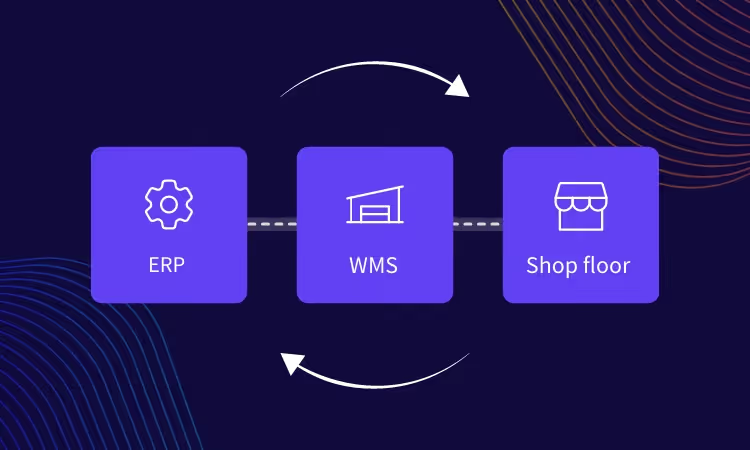
Alumio sits between sales channels and fulfillment systems as a governed integration backbone. Orders are routed, transformed, and validated, while status updates return to every channel.

Authenticate your systems using Alumio's pre-built connectors. Choose from 200+ connector packages in the marketplace, plus unlimited custom integrations.

Define how data fields map between systems in a visual interface. Adjust formats, enrich records, and apply business logic, no custom code required.

Configure flows to run in real time on events, on a schedule, or both. Reduce manual data entry and let Alumio handle movement and transformation between systems.
.svg)
Once your first integration is live, adding your ERP, PIM, WMS, or CRM connects to the same hub. Existing flows keep running. No rebuilding from scratch.

A PIM is the usual next addition. Merchants running WooCommerce with SAP Business One reach for one when product content outgrows the ERP, because Business One holds commercial data well and product copy and imagery badly. Alumio keeps those connections together, so the storefront takes stock and pricing from the ERP and content from the PIM without either being maintained twice.
Yes, and the combining happens on the way through. Alumio reads the per-warehouse positions from SAP Business One, applies the rule you set for which locations count as sellable, and publishes the resulting figure to WooCommerce on a short cycle. Nobody maintains a spreadsheet deciding which warehouse the webshop is allowed to sell from this month.
No, this is configured rather than coded. Choosing which SAP Business One warehouses count toward the WooCommerce figure, and mapping the order fields, both happen in Alumio's interface, replacing the manual stock upload and the order rekeying. Allocation rules get conditional, so the Code Transformer is there when one, such as reserving a buffer per location, goes past what a mapping expresses.
Through a rule you define, not a simple total. Alumio reads each SAP Business One warehouse position and combines only the locations you nominate as web-sellable, optionally holding back a buffer, then publishes that single figure to WooCommerce. Summing everything is the common mistake, because it exposes trade and quarantine stock to shoppers who will happily order it.
A stock figure that stopped updating is the dangerous failure here, so it is flagged first. Alumio monitors each publish in real time and records what it sent, so an update to WooCommerce or an order into SAP Business One that does not complete raises an immediate alert, with retries where configured. The log carries the reason, the last good figure stays in place, and no order goes missing.
Talk to an Alumio integration specialist. We'll map the right architecture for your systems, at the right scale, so your operations stay reliable through every change.













.svg)


