Introducing the Alumio Route Builder
Now connect, orchestrate, and govern integrations at scale from one visual interface

Once Veeqo is picking and shipping the orders, the shop keeps the shopper and gives up the parcel itself, and WooCommerce now reflects what the warehouse has done rather than directing it.



























Veeqo does two jobs at once: it holds stock across channels and it buys the labels. That makes the connection less about moving data and more about settling who is in charge of an order after checkout. Shops that never decide end up with a fulfilment status maintained in both places, a customer told one thing by the shop and another by the tracking email, and staff who check both before answering anything. Connecting WooCommerce and Veeqo draws the line once: the shop owns the customer and the record of the sale, the warehouse owns everything that happens to the goods.
DATA THAT FLOWS BETWEEN THEM
Orders
Order lines
Customers
Stock levels
Shipments
Tracking references


Picking, packing and shipping happen in Veeqo and WooCommerce reflects the result, so nobody maintains a fulfilment status in two places and hopes the two agree.
Availability published to WooCommerce is what remains after the other channels Veeqo serves have taken their share, so the shop stops selling units already promised elsewhere.
Tracking recorded in Veeqo reaches the WooCommerce order, so the shopper checking their account and the shopper reading the carrier email are told the same thing.
A new sales channel joins the same Veeqo stock pool, so the shop keeps selling against a figure that already accounts for it rather than competing with it for units.
You nominate the WooCommerce status that hands an order over, so one still waiting on a payment check stays with the shop, and Veeqo only ever receives work the warehouse can actually start picking straight away.
Once Veeqo records the shipment and its tracking reference, Alumio updates the WooCommerce order, so the customer follows the parcel from their own account rather than waiting on an email somebody has to remember to send.
Alumio publishes the Veeqo stock position to WooCommerce on the cycle you set, so the shop offers what is genuinely free to sell instead of a figure that ignores what a marketplace committed an hour ago without telling anybody.
Alumio sits between sales channels and fulfillment systems as a governed integration backbone. Orders are routed, transformed, and validated, while status updates return to every channel.

Authenticate your systems using Alumio's pre-built connectors. Choose from 200+ connector packages in the marketplace, plus unlimited custom integrations.

Define how data fields map between systems in a visual interface. Adjust formats, enrich records, and apply business logic, no custom code required.

Configure flows to run in real time on events, on a schedule, or both. Reduce manual data entry and let Alumio handle movement and transformation between systems.
.svg)
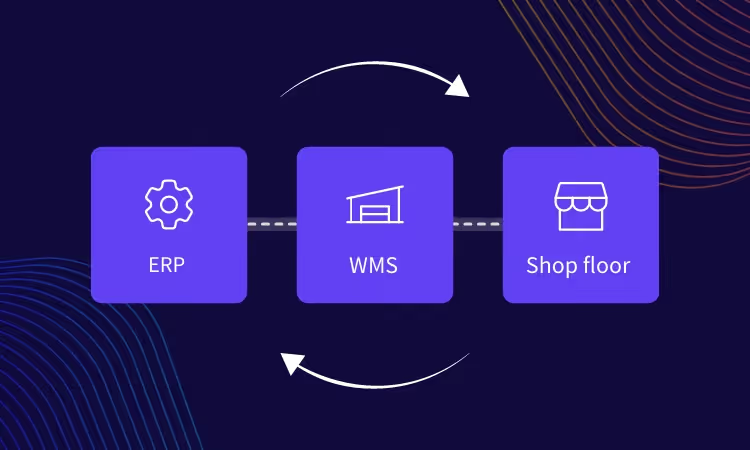
Once your first integration is live, adding your ERP, PIM, WMS, or CRM connects to the same hub. Existing flows keep running. No rebuilding from scratch.

Most shops connect a marketplace next, and that is the point at which the stock pool starts earning its keep. Veeqo already holds one position across channels, WooCommerce reads from it, and a third channel drawing on the same pool is a configuration rather than a new argument about who gets the last unit. Alumio holds that connection alongside this one.
It can, and the two directions carry different things. Orders travel to Veeqo as they are paid because the warehouse is waiting on them, while stock comes back on the cycle you choose because a shop can tolerate a figure being minutes old. Shipments and tracking return as they are recorded, which is what keeps the WooCommerce order honest without anybody updating it. Whether the order takes a tracking reference back is a question about WooCommerce, not about Alumio.
No, this is configured rather than coded. The stock sheet somebody adjusts after a pick is what goes, along with the habit of checking two screens before answering a customer. Which WooCommerce statuses hand an order to Veeqo, and how shipments come back, are entries in Alumio. Where a delivery option has to be derived from the basket, the Code Transformer takes that step.
The customer and the record of the sale, and nothing about the goods. WooCommerce holds the account somebody logs into, the order history they read and the payment that was taken, all of which stay with the shop. Veeqo owns stock, picking and the label from the moment the order is handed over. Writing that boundary down is what stops two systems both claiming to know where a parcel is.
A pick confirmed against a line the shop had already cancelled is the failure to catch, because the goods leave and the refund has already gone. Alumio monitors each transfer live and records the WooCommerce order state with the Veeqo shipment it produced, so a mismatch raises an immediate alert naming the order and the reason. Retries run where configured, so nothing is quietly dropped.
Talk to an Alumio integration specialist. We'll map the right architecture for your systems, at the right scale, so your operations stay reliable through every change.












.svg)


