Introducing the Alumio Route Builder
Now connect, orchestrate, and govern integrations at scale from one visual interface

WooCommerce sells against what SAP S/4 HANA has genuinely confirmed as available, and orders return as documents, so the storefront stops promising stock that is already committed elsewhere.



























S/4 HANA runs availability as a calculation, not a number: confirmed quantities depend on reservations, allocations and planned receipts. WooCommerce holds one integer per product. The gap between them is where overselling lives, because a figure copied once a day includes stock the ERP has already promised elsewhere. A WooCommerce to SAP S/4 HANA integration through Alumio closes it: confirmed availability drives what the site offers, pricing comes from S/4 HANA, and web orders arrive as sales documents rather than spreadsheets. One answer, both systems.
DATA THAT FLOWS BETWEEN THEM
Material master
Confirmed availability
Pricing conditions
Sales orders
Delivery status
Billing documents
Customer master


WooCommerce offers what S/4 HANA has confirmed rather than a raw stock count, so the site cannot sell quantities the ERP has already committed to another customer.
Pricing reaches WooCommerce as S/4 HANA determines it, so discounts and conditions apply consistently online and finance stops correcting web invoices after the fact.
Web orders become S/4 HANA sales documents directly, which removes the double entry step where large or configured orders reliably pick up transcription errors.
Delivery and billing status flows back to WooCommerce, so buyers can track their own order from the storefront instead of emailing customer service to ask for an update.
Alumio reads confirmed availability from S/4 HANA and updates WooCommerce, so a product whose stock has just been allocated to a wholesale order is withdrawn from sale before a web customer can buy the same units twice over.
A completed WooCommerce order creates an S/4 HANA sales document against the matched customer with priced lines in place, so fulfilment works from the ERP record rather than an exported file that someone rekeys.
Delivery and billing updates from S/4 HANA are written back to the WooCommerce order, so the buyer sees dispatch and invoicing progress in their account area instead of contacting support to ask where the shipment has reached.
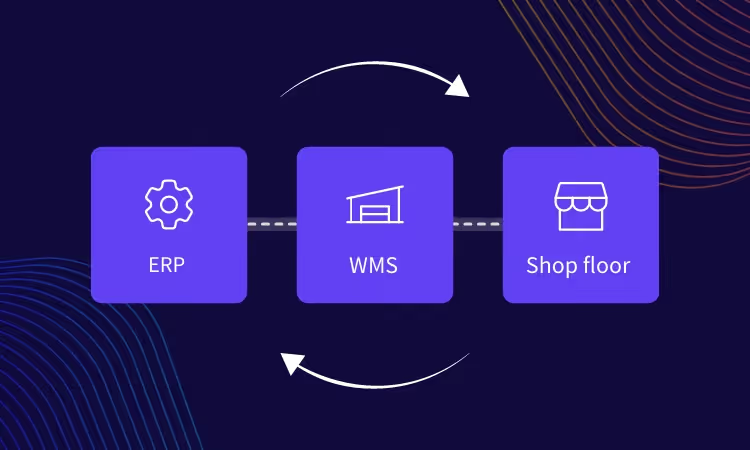
Alumio sits between sales channels and fulfillment systems as a governed integration backbone. Orders are routed, transformed, and validated, while status updates return to every channel.

Authenticate your systems using Alumio's pre-built connectors. Choose from 200+ connector packages in the marketplace, plus unlimited custom integrations.

Define how data fields map between systems in a visual interface. Adjust formats, enrich records, and apply business logic, no custom code required.

Configure flows to run in real time on events, on a schedule, or both. Reduce manual data entry and let Alumio handle movement and transformation between systems.
.svg)
Once your first integration is live, adding your ERP, PIM, WMS, or CRM connects to the same hub. Existing flows keep running. No rebuilding from scratch.

More can be connected, and for S/4 HANA landscapes the next one is typically the warehouse or transport system, because the ERP confirms availability while dispatch and carrier selection happen elsewhere. Alumio connects them on one platform, so the delivery date WooCommerce shows a customer reflects what the warehouse can actually ship rather than a lead time hardcoded into the storefront.
Yes. Alumio requests confirmed availability and current pricing from S/4 HANA and applies them to the WooCommerce catalog on change or on a schedule you control. Because availability in S/4 HANA is calculated rather than stored as a single figure, the storefront receives a confirmed quantity, which is what makes the difference between accurate selling and a nightly stock export that is wrong by mid-morning.
Alumio is configured rather than developed, so material, pricing and order mappings are built in the interface instead of as bespoke middleware. That replaces the export and rekeying routine this pairing usually depends on. S/4 HANA landscapes are rarely standard, and where a pricing condition or an order rule specific to your configuration will not map, the Code Transformer takes custom JavaScript for that requirement alone.
S/4 HANA wins, because its confirmed availability accounts for reservations and allocations that a WooCommerce inventory field knows nothing about. Alumio treats the ERP figure as authoritative and writes it to the storefront rather than reconciling two numbers after the fact. You can hold back a buffer for contracted customers as a configured rule, so the web catalog expresses what the business will sell online rather than everything the warehouse holds.
The storefront freezes at its last confirmed position rather than drifting toward a wrong number. Alumio monitors every S/4 HANA flow in real time, logs each message with its payload, and alerts the team the moment one is rejected, with the failing document and error reason in a single view. Where retries are configured they run without intervention, and messages that still fail remain in the queue, so no stock update is silently lost.
Talk to an Alumio integration specialist. We'll map the right architecture for your systems, at the right scale, so your operations stay reliable through every change.












.svg)


