Introducing the Alumio Route Builder
Now connect, orchestrate, and govern integrations at scale from one visual interface

An Allegro buyer picks up a parcel from a locker rather than a doorstep, and Microsoft Dynamics 365 F&O receives that choice as the destination, so a label is printed for a place and not for a person.



























Most Allegro buyers do not want a parcel brought to their door. They pick a locker or a collection point, which means the address arriving with the order is not a person's address at all, and Microsoft Dynamics 365 F&O expects a delivery address it can ship to. Left unconnected, somebody retypes it, guesses at a street, or ships to a home address the buyer never gave, and the parcel goes back, at your cost, with the sale usually going with it. Connecting Microsoft Dynamics 365 F&O and Allegro carries the collection point through as what it is, so the label is right the first time.
DATA THAT FLOWS BETWEEN THEM
Offers
Order lines
Delivery methods
Collection points
Shipment confirmations
Customer records


The collection point a buyer chose on Allegro reaches Microsoft Dynamics 365 F&O as the delivery destination, so nobody has to interpret a locker code as a street address.
Because the delivery method travels with the order, a parcel is sent the way the buyer expects rather than the way the warehouse defaults to when a field looks unfamiliar.
Alumio connects to Allegro through its available API, as it would any reachable system, so offers and orders move without a seller screen anybody keeps open all day.
Fewer parcels come back undelivered, which is the cost this actually removes, because a returned parcel is paid for twice and the sale attached to it is usually lost as well.
When an Allegro buyer chooses a locker or collection point, Alumio writes it into Microsoft Dynamics 365 F&O as the delivery destination, so the label carries the code the carrier needs instead of a guessed address.
Allegro orders are created in Microsoft Dynamics 365 F&O as they arrive with the delivery method attached, so the warehouse picks from the ERP and does not have to check a second screen for how the parcel should go.
When Microsoft Dynamics 365 F&O records the shipment, Alumio confirms it to Allegro with its reference, so the buyer is told the parcel is on its way through the channel they bought from, without anybody sending an email.
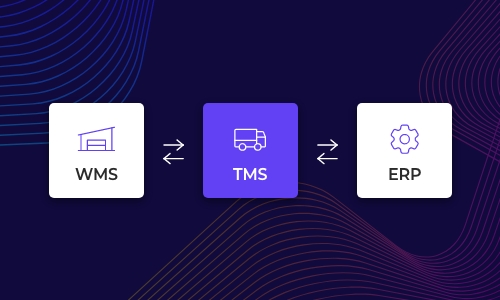
Alumio sits between sales channels and fulfillment systems as a governed integration backbone. Orders are routed, transformed, and validated, while status updates return to every channel.

Authenticate your systems using Alumio's pre-built connectors. Choose from 200+ connector packages in the marketplace, plus unlimited custom integrations.

Define how data fields map between systems in a visual interface. Adjust formats, enrich records, and apply business logic, no custom code required.

Configure flows to run in real time on events, on a schedule, or both. Reduce manual data entry and let Alumio handle movement and transformation between systems.
.svg)
Once your first integration is live, adding your ERP, PIM, WMS, or CRM connects to the same hub. Existing flows keep running. No rebuilding from scratch.

How the goods actually reach the buyer is the question that opens the next connection. The locker network itself is the usual addition, because Allegro records which collection point was chosen and Microsoft Dynamics 365 F&O needs a label the network will accept, and the two are not the same thing. Alumio holds that connection alongside this one, so the booking and the order describe one parcel.
The offer and the delivery method are read together, because separating them is what produces a wrong label. Alumio takes each Allegro order with its chosen collection point and creates it in Microsoft Dynamics 365 F&O with the destination attached, then confirms despatch back to the channel. Availability travels the other way on the schedule you set.
No, and the local delivery rule is a setting rather than logic. Which Allegro delivery methods map to which Microsoft Dynamics 365 F&O delivery modes is a table in Alumio's interface, and it changes when the channel adds an option. Where a collection point has to be reformatted for a carrier's own label, the Code Transformer takes that one conversion and the rest stays configuration.
The collection point, not the buyer's home. An Allegro buyer choosing a locker supplies a point code rather than a street address, so Microsoft Dynamics 365 F&O receives a destination that is a place and not a person, and a warehouse that treats it as a street address prints a label the carrier will refuse. Carrying it through as a collection point is what puts the parcel where somebody is waiting for it.
A delivery option that Allegro no longer offers is the failure worth catching, and it produces a parcel nobody can deliver, and Alumio records each order with the method it carried, alerts immediately when Microsoft Dynamics 365 F&O will not accept the destination, names the reason, retries where configured, and leaves the order listed rather than dropped, so nothing ships to an address that was never given.
Talk to an Alumio integration specialist. We'll map the right architecture for your systems, at the right scale, so your operations stay reliable through every change.















.svg)


