The real cost of unmonitored e-commerce integrations
A modern e-commerce business does not run on one system. It runs on a storefront, an ERP, a warehouse system, a payment gateway, and often a product information system feeding them all. Each connection between these systems carries orders, stock levels, prices, and customer data. When one of those connections breaks, the business rarely finds out at the moment it happens.
The failure surfaces later, as a business problem rather than a technical one. A customer receives no shipping confirmation. Stock shows as available online when the warehouse is empty. A price update never reaches the storefront, leaving an item to sell at last season's margin. None of these look like integration errors on the surface. That disguise is exactly what makes them expensive.
This gap between when a failure happens and when the business notices is where the real cost sits. The longer a broken flow runs unseen, the more orders, customers, and revenue it touches. Monitoring and logging exist to close that gap in different ways.
What do monitoring and logging actually do?
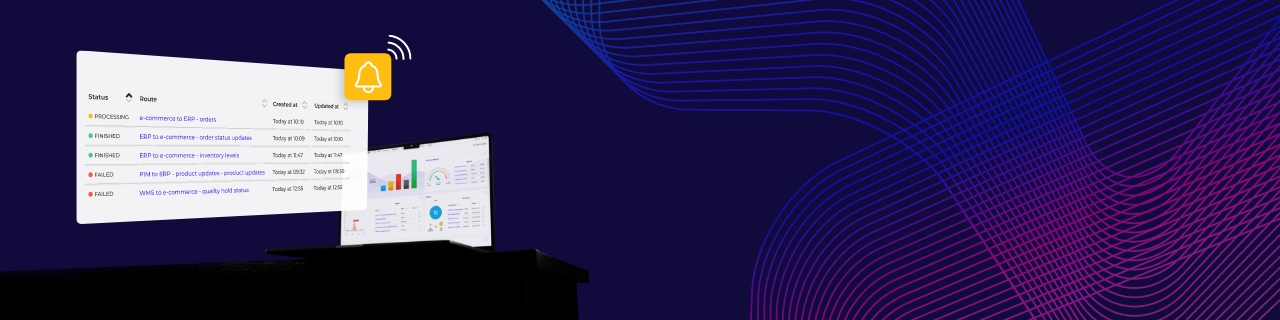
Monitoring and logging solve two related but separate problems. Monitoring is the live view. It watches every data flow as it runs, tracks the health of each task, and raises a real-time alert when something stalls or fails. It answers questions of what's happening right now.
Logging is the record. It captures the detail of every task, event, and error as data moves between systems, including any transformations applied along the way. When a monitor raises an alert, the log is what a team reads to understand why the failure happened and where. Monitoring tells a business that an order sync failed at 2:14 PM. Logging shows that it failed because the warehouse system rejected a malformed address field. One catches the problem. The other explains it.
How silent failures reach the customer
In a connected e-commerce landscape, most failures are silent by default. A custom script or a point-to-point connection has no built-in way to announce that it stopped working. It simply stops while the systems on either side carry on as if nothing changed.
Consider a stock sync between the warehouse and three storefronts. If that flow fails overnight, each storefront keeps showing the last known stock figure. Customers order items that are no longer available. The business only learns about the failure when cancellations and complaints start arriving the next morning. By then the damage is measured in refunds, support time, and trust.
Error detection is what breaks this pattern. A watched flow raises an alert the moment it stalls, turning an overnight outage into a fifteen-minute fix. The failure still happens. What changes is how long it stays invisible.
Can monitoring and logging flag a security problem in time?
Yes, when they are watching the right signals. Security in e-commerce integrations is not only about keeping attackers out. It is also about noticing quickly when something inside the data flow looks wrong.
Integrations move sensitive data between systems, including customer records, payment references, and order histories. Monitoring can flag the patterns that suggest a problem, such as a sudden spike in failed authentication, an unusual volume of records moving at an odd hour, or repeated errors on an endpoint that handles personal data. Logging then provides the evidence, showing exactly what data moved, when, and through which connection.
This is a different job from preventing a breach in the first place. Strong encryption, access control, and secure design reduce the chance of an attack. Those controls are the focus of a separate look at e-commerce data security. Monitoring and logging sit alongside those controls, giving a business the means to detect and reconstruct an incident rather than discover it weeks later.
How an integration platform centralizes monitoring and logging
Monitoring and logging are far easier to sustain when they are built into the platform that runs the integrations, rather than added to each connection separately. This is one reason businesses move from custom-built connections to an integration platform, or iPaaS (integration Platform as a Service). Instead of checking a dozen scripts one by one, a team watches every flow from a single place.
Obelink shows what this looks like at scale. The Dutch outdoor retailer grew from a 1959 family business into one of Europe's largest camping stores. Today it runs seven webshops on a single ERP, point-of-sale, and warehouse system. A landscape that size moves a constant stream of orders, stock updates, and customer data between the storefronts and the back office. The Alumio iPaaS connects those systems and gives Obelink one environment to monitor and log every flow between them.
In practice, the platform provides a health monitor for all import and export tasks, flags stuck and failed tasks as they happen, and lets teams set custom alerts for specific anomalies. Every task, event, and error is logged automatically, including the transformations applied in transit. When a flow fails, the team sees it at once and has the full record needed to fix it. That is monitoring and logging working as one system, not an afterthought.
Making integration failures visible before they cost you
The businesses that handle change well are not the ones that never have integration failures. Every connected system fails at some point. The difference is how fast they see the failure and how quickly they can act.
Monitoring and logging turn integration reliability from a hope into something a business can observe and control. Failures get caught in minutes instead of days. Root causes are found in a log instead of a guessing game. Sensitive data flows leave a trail that can be checked rather than assumed. For a growing e-commerce business, that visibility is what keeps operations steady while the system landscape keeps expanding.
An integration platform makes that standard practical to reach across every flow at once. The goal is not more dashboards. It is the confidence to add a channel, a market, or a system knowing the business will see any problem the moment it appears, not the day after.




.svg)










.svg)
.svg)
.svg)
.svg)
.svg)
.svg)
