


Run every market on one commerce integration layer

Integrate commerce
A Alumio vivid purple arrow pointing to the right, a visual representation of how to access more page material when clicking on it.
Go back

How to scale internationally without rebuilding your e-commerce stack

By
Saad Merchant
Published on
July 24, 2026
Updated on
July 24, 2026
IN CONVERSATION WITH
Email icon
Email icon

You have proven your webshop in one market and want to enter several more. The blocker is rarely the storefront. It is everything a new market needs underneath it: a local currency, a translated catalog, regional tax rules, new payment methods, and local carriers. When those differences are hard-wired into custom connections, every new country means rebuilding integrations you already have. For lean teams, that puts international e-commerce expansion out of reach. A composable stack changes that. Composable means each system connects to a shared layer as an interchangeable building block. You add a market by extending what you run rather than rebuilding it. Built on an iPaaS (integration Platform as a Service), a cloud platform that connects your systems through one central hub, that stack turns your next market launch into a configuration change, not a project.

Why does international e-commerce expansion break your stack?

Because most stacks are built for one market, not many. Your first setup hard-codes assumptions about currency, tax, language, and fulfillment into the connections between systems. Those assumptions stay invisible until you enter a second market that breaks them.

A new country is rarely one change. It is a bundle of them at once. You need a second currency in the ERP and the storefront, local tax and invoicing rules, region-specific payment methods, local carriers, and often a translated product catalog. Sometimes it also means a new legal entity with its own books. Each of those touches several systems that all have to agree with each other.

When every one of those flows is a custom connection, a new market means rebuilding most of them. The fix is not a bigger project but an architecture where the market-specific parts are configured on a shared layer, so the next country reuses what the last one built. The steps below get you there. Each one builds on the one before it.

1. Map what actually changes in a new market

Before you can make expansion repeatable, get precise about what a new market really changes. Most of your stack does not change at all. Your product catalog, order model, and customer records stay largely the same. What changes sits in a predictable set: currency, language and locale, tax and invoicing, payment methods, and carriers. For each of these, write down which system owns it and which systems consume it. This gives you the short list of market-specific flows to make configurable. It also keeps you from rebuilding the parts that were never market-specific in the first place.

Tip: treat a new legal entity as its own line on this map. It usually carries its own tax, currency, and reporting rules that are easy to underestimate.

2. Handle market differences in the integration layer, not the storefront

The common mistake is to solve each market inside the storefront with plugins, themes, or one-off code. That approach multiplies the surface you have to maintain, because every market adds its own layer of customization to the same shop. Instead, push the market-specific logic into the integration layer between your systems. Currency conversion, tax rules, payment routing, and carrier selection get handled as data moves through the hub. The storefront stays close to one clean codebase. Each market becomes a set of rules the layer applies. This is the practical difference between scaling on your stack and rebuilding it market by market. It is where a composable commerce approach pays off.

Tip: keep currency and tax logic out of the theme entirely. The moment it lives in the storefront, every redesign risks breaking a market.

3. Build each connection once and reuse it for every market

A shared layer only pays off if its connections are reusable. Build each integration as a configurable component, so the same order flow, stock sync, or payment connection works for any market with different settings. When you add a country, you are populating a proven pattern with local values, not writing a new integration. This is what turns a three-month market launch into a two-week one. It is also what lets you run five markets without five separate integration landscapes to maintain.

Tip: version your flows like code. When you improve the order flow for one market, every market can inherit the fix.


Turn AI ambition into action

Portrait of Leonie Becher Merli, Business Development Manager at Alumio

Get a free assessment of your integration needs and next steps

Portrait of Leonie Becher Merli, Business Development Manager at Alumio

Ready to make international e-commerce expansion a config change, not a rebuild?

Ready to make international e-commerce expansion a config change, not a rebuild?

4. Launch each new market in stages

Speed only helps if a launch does not put your live markets at risk. Bring each new market up in stages. Configure its flows, run them in a test environment, and check that orders, stock, tax, and payments behave before any real traffic hits. Then go live for that market alone, while your existing markets keep running untouched. If something is off, you fix it in one market without a wider outage. Staged launches are what let you expand quickly and still sleep at night.

Tip: run a few real test orders per market before launch, including a return. Returns expose tax and refund gaps that a plain test order will miss.

How an integration platform makes expansion repeatable

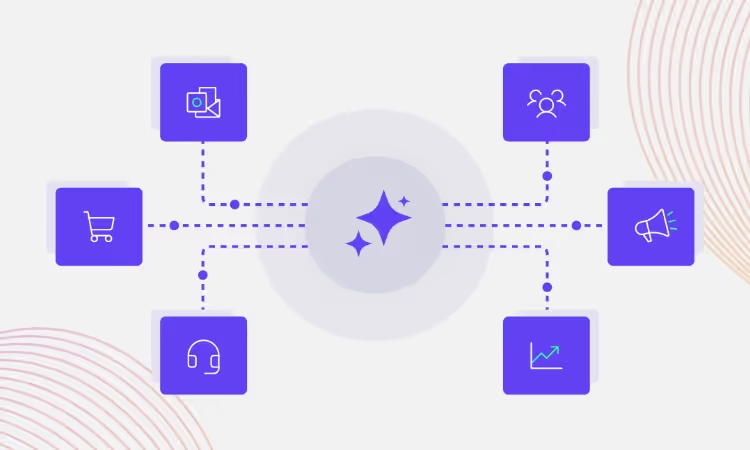
Everything above describes what an integration platform does by design. An iPaaS (integration Platform as a Service) sits between your storefront, ERP, payment, tax, and carrier systems, so each connects once to the hub instead of directly to every other system. Market-specific logic lives in that hub as configuration. That is what makes a new country an extension rather than a rebuild.

in-lite, a premium Dutch outdoor lighting brand, shows the pattern in action. As it expanded into new regions, including North America, it replaced developer-dependent middleware with the Alumio iPaaS, running 66 active integration Routes across Magento, SAP Business One, HubSpot, and its product and marketing systems. Because those flows are configured and reused, its in-house team manages expansion directly, without a developer queue for every new market.

On the Alumio iPaaS, connections are configured rather than hand-coded. Data is transformed in transit to match the format each market's systems expect. Changes are staged and version-controlled before they reach production. That combination is what makes international e-commerce expansion something your team can run on repeat.

Making international growth a repeatable motion

The businesses that expand fastest are not the ones that rebuild for every market. They are the ones whose stack was built to extend. When the market-specific parts live as configuration on a shared layer, adding a country is a known, repeatable motion instead of a fresh project each time.

That turns international growth from a series of expensive one-offs into a capability. You launch, learn, and launch again, with each market cheaper and faster than the last. The limit on how many markets you can serve stops being your integration team and starts being your ambition.

Built to extend once, the stack turns international e-commerce expansion into a lever you can pull whenever the opportunity appears, instead of a project you take on from scratch each time.

No items found.

FAQ

Integration Platform-ipaas-slider-right
What does it mean to scale e-commerce internationally without replatforming?

Scaling internationally without replatforming means adding new markets to your existing e-commerce stack instead of rebuilding or replacing it. The market-specific parts, like currency, tax, language, and payment methods, are handled through configuration on an integration layer rather than custom code in each system. This lets a business enter new countries by extending what it already runs.

Integration Platform-ipaas-slider-right
What is an iPaaS, and how does it support international e-commerce expansion?

An iPaaS (integration Platform as a Service) is a cloud platform that connects your business systems through one central hub instead of many direct, custom connections. For international e-commerce expansion, it holds each market's currency, tax, payment, and carrier logic as configuration, so adding a country reuses existing flows rather than rebuilding them. That is what keeps expansion fast and low-cost as you add markets.

Integration Platform-ipaas-slider-right
How do you handle multiple currencies and tax rules across markets?

Currency conversion, tax rules, and invoicing differences are handled in the integration layer as data moves between your storefront, ERP, and payment systems. Each market gets its own set of rules applied to the same underlying flows, rather than a separate custom build. This keeps the logic in one governed place instead of scattered across systems and themes.

Integration Platform-ipaas-slider-right
How long should it take to launch a new market on a composable stack?

On a composable stack where connections are already reusable, a new market can often go live in weeks rather than months. Most of the work is configuration: setting the local currency, tax, payment methods, and carriers on flows that already exist. The first market takes the longest, and each one after it is faster because you are reusing proven patterns.

Integration Platform-ipaas-slider-right
Is it better to build a separate storefront for each country?

Usually not. A separate storefront per country multiplies the code, content, and maintenance you have to manage, and the differences between markets are mostly data, not design. A better pattern is one storefront driven by market-specific configuration in the integration layer, so currency, language, and tax vary without a separate build for each country.

Integration Platform-ipaas-slider-right
Can an integration platform really support multi-entity expansion?

Yes. An integration platform can connect multiple legal entities, each with its own ERP instance, currency, and tax rules, to the same shared layer. Each entity's flows are configured and kept separate where they need to be, while common patterns are reused across them. This is what makes multi-entity, multi-market expansion manageable without a rebuild for every new entity.

Get a free assessment of your integration needs

Laptop screen displaying the Alumio iPaaS dashboard, alongside pop-up windows for generating cron expressions, selecting labels and route overview.