


A Alumio vivid purple arrow pointing to the right, a visual representation of how to access more page material when clicking on it.
Go back

Modify integrations faster: iPaaS Inspection Tool

By
Saad Merchant
Published on
February 21, 2025
Updated on
June 24, 2026
IN CONVERSATION WITH
Email icon
Email icon

Does your agency, IT team, or team of system integrators spend a costly amount of time modifying your integrations, debugging data transformations, and fixing integration errors? While the Alumio iPaaS (integration Platform as a Service) already simplifies integrating all kinds of systems, SaaS, apps, and data sources, we’ve just made modifying integrations with our Transformers even simpler. Our new Inspection Tool upgrades our debugging feature, allowing you to isolate and test specific parts of data transformations without running the entire integration processes. Read on to find out how this new feature helps accelerate your integrations by simplifying and minimizing troubleshooting and testing!

Modify integrations faster with the Alumio iPaaS' Inspection Tool

In today’s hyper-connected, digital-first and data-driven landscape, agencies, IT teams, and system integrators face constant pressure to deliver seamless integrations across various platforms. However, this often involves spending excessive time modifying integrations, debugging data transformations, and addressing frustrating integration errors.

That’s where Alumio's iPaaS (Integration Platform as a Service) comes into play. Designed to simplify the integration process, Alumio empowers users to connect their applications effortlessly and streamline data flows via a user-friendly interface. It also provides powerful Transformers to customize data integrations limitlessly. To enhance and speed up how integrators now transform/modify their integrations, the Alumio iPaaS has now introduced a new feature called the Inspection Tool, which allows users to implement and test data transformations faster than ever before.

The hidden cost of data errors

Here’s a common scenario: a company has launched their e-commerce platform and has spent lots of time and money on integrating it with their ERP system, using custom code. Orders get successfully processed for a while. Yet, soon after, the support tickets start piling up with customers complaining that discounts aren’t applying correctly. The warehouse is shipping out-of-stock items due to outdated inventory data. Finance discovers that tax calculations are off, creating a compliance risk.

The IT team scrambles to identify the problem, but debugging the integration is like searching for a needle in a haystack. They’re forced to run the entire workflow repeatedly just to test different fixes, wasting hours of valuable time.

How the iPaaS helps bypass integration errors with Transformers

Building the same integration with the Alumio iPaaS turns this chaotic scenario into a streamlined, efficient process. Instead of relying on custom code that’s hard to debug, the iPaaS provides a visual interface and pre-built Connectors that help simplify data flows between your systems. This means your IT team can focus on customizing and optimizing your integrations without getting lost in endless troubleshooting.

At the heart of building integrations in this streamlined manner is a vast array of Transformers that the Alumio iPaaS provides to help modify the data being integrated. Transformers in the Alumio iPaaS helps map, translate, filter, and enrich data moving from one system to another via the Alumio iPaaS. They help ensure that different applications, like your e-commerce store, ERP, and CRM, can communicate seamlessly despite having different data formats and structures.

Transformers also allow integrators to apply conditional logic, such as allowing discounts to apply only when the total order value exceeds a certain threshold. Without Transformers, integrations would require endless custom coding, making them expensive and difficult to maintain.

What is the Inspection Tool, and how does it help modify integrations faster?

While Transformers in the Alumio iPaaS already provide a powerful way to modify and optimize integrations, fine-tuning them has often required running the entire workflow just to test specific changes. This where the Inspection Tool comes in. It removes this hassle by allowing users to isolate and validate individual transformations instantly, making troubleshooting and adjustments far more efficient.


Turn AI ambition into action

Portrait of Leonie Becher Merli, Business Development Manager at Alumio

Get a free assessment of your integration needs and next steps

Portrait of Leonie Becher Merli, Business Development Manager at Alumio

How does the Inspection Tool work?

Designed specifically to streamline the testing and debugging of data transformations, the Inspection Tool allows users to test individual steps of a Transformer’s logic without executing the full integration. In other words, instead of waiting for data to flow through multiple systems just to check if a discount calculation works correctly, users can isolate and inspect the transformation in real time.

The Inspection Tool of the Alumio iPaaS lets you:

  • Execute and test specific parts of a Transformer without running the full integration.
  • Spot formatting errors, missing data, or incorrect transformations before they reach your systems.
  • See input, output, and settings side by side to understand exactly how data is being processed.
  • Fix issues instantly and re-test without waiting for the entire workflow to execute.

In short, it helps you prevent costly mistakes before they affect your customers, finances, or operations. Most importantly, it helps system integrators tackle and resolve edge cases more efficiently.

The business benefits of the Alumio Inspection Tool

Even if you’re not directly involved in integration development, the Inspection Tool impacts your business in meaningful ways:

  • Fewer integration-related disruptions: Detect and resolve data transformation issues before they impact orders, pricing, or financial records.
  • More efficient IT teams: Developers spend less time debugging and more time enhancing integrations.
  • Reduced errors: The tool suggests autocomplete for placeholders (&{ }) based on the available input, automatically suggesting relevant fields and values from the input data, preventing errors.
  • Better business insights – Reliable data ensures informed decision-making and optimized workflows.

Debug integrations smarter with the Alumio Inspection Tool

In a world where seamless data flow is critical to business success, every minute spent debugging integrations is a minute lost on innovation and growth. The Inspection Tool within Alumio's iPaaS serves as a valuable addition to your integration toolkit. It provides greater visibility into data transformations, reduces the time spent on troubleshooting, and ensures integrations run smoothly.

By allowing IT teams, system integrators, and agencies to isolate and test transformation logic without disrupting entire workflows, the Inspection Tool contributes to faster deployments, fewer operational hiccups, and more reliable integrations. This means fewer support tickets, more accurate data, and ultimately, a better experience for both your team and your customers. So, if your team spends hours fixing integration errors, feel free to re-inspect how this new feature of he Alumio iPaaS is a great transformational solution.

Want to get a look at the Inspection Tool and how it works? Feel free to read and ask more about it on the Alumio Forum →

No items found.

FAQ

Integration Platform-ipaas-slider-right
What is the Alumio iPaaS Inspection Tool and what problem does it solve?

The Alumio iPaaS Inspection Tool is a platform feature that allows integration teams to inspect live integration Routes in detail: examining the data payload at each transformation step, identifying exactly where a data quality issue or error occurred, and making targeted corrections without having to trace through log files manually. It solves the problem of debugging time: in complex integration Routes with multiple transformation steps, identifying which step produced an incorrect output previously required time-consuming log analysis. The Inspection Tool surfaces this information directly in the Route interface, dramatically reducing the time to diagnose and fix integration issues.

Integration Platform-ipaas-slider-right
How does the Inspection Tool reduce the time agencies and IT teams spend modifying integrations?

The Inspection Tool reduces modification time by making the data state at each Route step visible without requiring log analysis or test record runs. When an integration produces an unexpected output, the team can open the Inspection Tool, examine exactly what data was present at each Transformer step, and identify the step where the data diverged from expectations. Changes can be made at that specific step and tested immediately rather than requiring a full Route execution cycle to validate each hypothesis. For agencies and IT teams managing multiple integrations, this reduction in per-issue diagnosis time compounds across all the integrations under management.

Integration Platform-ipaas-slider-right
What types of integration issues does the Inspection Tool help diagnose?

The Inspection Tool helps diagnose: data mapping errors (where a field from the source system is not reaching the expected destination field), value transformation issues (where a value conversion produces an unexpected result), filtering logic problems (where records are incorrectly included or excluded from a flow), and data quality issues from the source system (where the incoming data has unexpected nulls, wrong formats, or missing required fields). By making the data state visible at each step, the tool also helps teams understand why a historically configured Route behaves unexpectedly after a source system update changes the incoming data structure.

Integration Platform-ipaas-slider-right
How does the Inspection Tool improve the experience of working with Alumio for non-developer team members?

The Inspection Tool improves the experience for non-developer team members by making integration debugging accessible without requiring code reading or log file analysis. Operations managers, e-commerce managers, or technically literate business analysts who manage day-to-day integration health can diagnose many common issues through the Inspection Tool's visual data state display rather than escalating to a developer for every debugging task. This extends the config-first philosophy of the rest of the platform into the debugging and maintenance phase, making integration ownership more accessible to the full team rather than concentrating it in developers alone.

Integration Platform-ipaas-slider-right
What other platform features complement the Inspection Tool for integration management?

The Inspection Tool works alongside: the Route monitoring dashboard (which identifies which Routes have failed and surfaces failed records for investigation), the maintenance window scheduler (which prevents expected downtime from generating false alerts that obscure genuine issues), version control per Route (which allows comparison of the current configuration with previous versions when behavior has unexpectedly changed), and the failed-records replay queue (which allows corrected records to be reprocessed after the issue identified by the Inspection Tool has been fixed). Together these features create a complete integration operations toolset rather than a collection of isolated debugging aids.

Integration Platform-ipaas-slider-right
How does the Inspection Tool reflect Alumio's broader product philosophy?

The Inspection Tool reflects Alumio's philosophy that integration infrastructure should be visible, accessible, and maintainable by the teams who own the business processes it supports, not just by the developers who originally built it. Every platform feature Alumio develops reduces some aspect of integration complexity: prebuilt connectors reduce build complexity, Transformer components reduce transformation complexity, the monitoring dashboard reduces operations complexity, and the Inspection Tool reduces debugging complexity. The cumulative effect is an integration platform that organizations can genuinely own and evolve over time rather than depending on specialist developers for every task from configuration to troubleshooting.

Get a free assessment of your integration needs

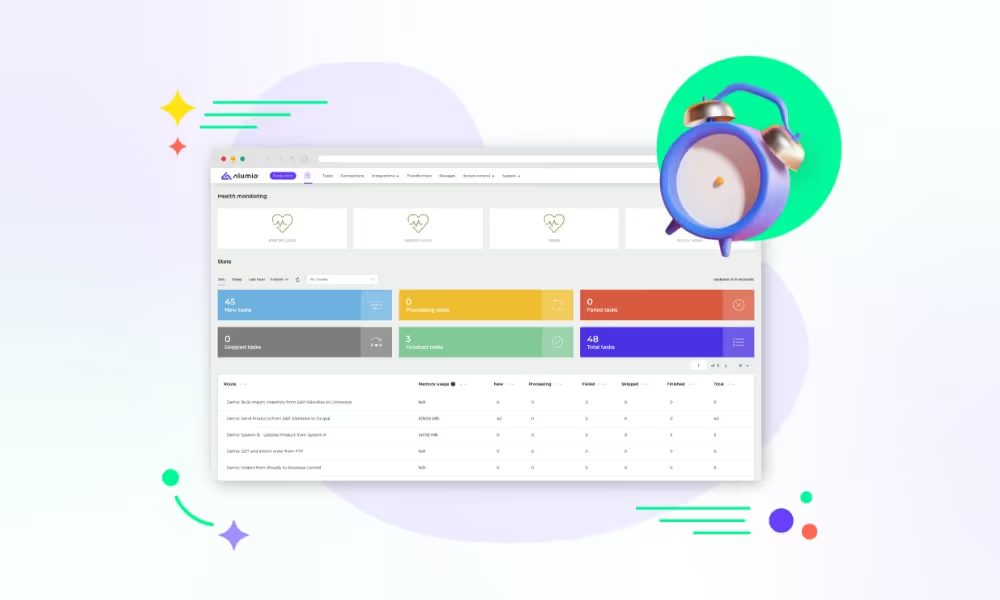
Laptop screen displaying the Alumio iPaaS dashboard, alongside pop-up windows for generating cron expressions, selecting labels and route overview.